GraphicsModes
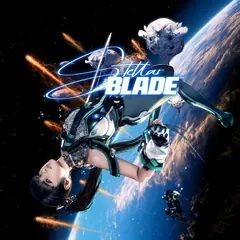
Stellar Blade key art

Art: PlayStation.com

PS5 & PS5 Pro and Switch 2 graphics modes

Stellar Blade

PSSR
Out on PlayStationOfficial source: PlayStation, Switch 2Official source: NintendoPS5 Pro Enhanced: YesOfficial source: PlayStation BlogLast checked Nov 28, 2026
Quick answer

The mode to use on each console

"Our pick" follows the sourced pick; otherwise the first mode the source lists. A dash means not documented yet; an asterisk marks a general requirement, not a sourced value. Full details and source links below.

Best or default mode per console
ConsoleModeResolutionFrame rateRTVRR120Hz
PS5Performance First listed +2 more1440p60fpsOffNot documented yetNot documented yet
PS5 ProPro Our pick +2 moreUpscaled to 4K (PSSR)60fpsNot documented yetNoYes
Series XNot documented yet
Series SNot documented yet
Switch 2 dockedFrame generation (default) Our pick +1 more540p60fpsNot documented yetNoNot documented yet
Switch 2 handheldFrame generation off Only one documented360p35–45fps measuredNot documented yetYesNot documented yet

Official console maker, developer or publisher Measured pixel counts and frame-rate tests Developer quote a named developer quoted in a press interview Community-reported players, flagged · Tap a label for its source

Compare

PS5 and PS5 Pro

Our pick on PlayStation PS5 Pro: Pro mode, with the high frame-rate toggle on if you have a 120Hz TV. Digital Foundry recommends it over Pro Max.Measured source: Digital Foundry
PS5

3 modes

Balanced

Frame rate
60fps target
Targets 60fps; drops almost always stay above 50fpsMeasured source: Digital Foundry
Resolution
1080p–1440p
Mostly 1080p-1440p, temporal reconstruction (launch)Measured source: Digital Foundry
TAAVRR
Upscaler
TAA · Temporal upscaling via reconstructionMeasured source: Digital Foundry
Ray tracing
Off · No advanced ray tracing featuresMeasured source: Digital Foundry
VRR
Yes · Drops stay inside the 48-60fps VRR window; designed for VRR displaysMeasured source: Digital Foundry
120Hz
Not sure yet

PS5 Pro

3 modes

Pro

Frame rate
60fps target
Locked 60fps; 80fps cap with the high frame-rate toggle (dips into the 70s)Measured source: Digital Foundry
Resolution
Internal not stated upscaled to 4K (PSSR)
Higher internal resolution than base PS5, PSSR to 4KMeasured source: Digital Foundry
PSSR120Hz
Upscaler
PSSRMeasured source: Digital Foundry
Ray tracing
Not sure yet
VRR
No · Not needed: locked 60fpsMeasured source: Digital Foundry
120Hz
Yes · HFR toggle unlocks 120Hz output, 80fps capMeasured source: Digital Foundry

Balanced

Frame rate
60fps target
Now hits 60fps consistently on ProMeasured source: Digital Foundry
Resolution
—
Not sure yet
Upscaler
Not sure yet
Ray tracing
Not sure yet
VRR
Not sure yet
120Hz
Not sure yet

Xbox Series X and Series S Not documented yet. We haven't found a source for this game on Xbox.

Compare

Nintendo Switch 2, docked and handheld

Our pick on Switch 2 Docked: keep frame generation on. Handheld: turn it off and let the VRR screen smooth things out.Measured source: Digital Foundry

Switch 2 docked

2 modes

Switch 2 handheld

1 mode

Sources

  1. MeasuredStellar Blade on PS5 Pro: a simple but hugely effective upgrade Digital Foundry, Nov 22, 2024 · checked Nov 27, 2026
  2. OfficialPS5 Pro: Developers share how they’re using new tech to enhance their games PlayStation Blog, Sep 24, 2024 · checked Nov 27, 2026
  3. MeasuredStellar Blade On Switch 2: A Faithful Conversion That Relies on Frame Generation Digital Foundry, Nov 9, 2026 · checked Nov 27, 2026
  4. MeasuredStellar Blade brings old-school console sensibilities to PS5 - with a modern flourish Digital Foundry, Apr 24, 2024 · checked Nov 28, 2026
  5. OfficialStellar Blade™ - PS5 Games PlayStation · checked Nov 27, 2026
  6. OfficialStellar Blade™ Complete Edition for Nintendo Switch 2 - Nintendo Official Site Nintendo · checked Nov 27, 2026

"Not sure yet" means we haven't found a source. Spotted a patch that changed a mode, or have a source we're missing? Send a correction.

Notes